Few things are more frustrating than setting up a robot vacuum for a scheduled clean, only to find it stranded in the middle of the floor with a blinking error light. Shark robot vacuums are reliable workhorses, but like any automated device with moving parts, sensors, and rechargeable batteries, they can hit snags. Most stoppages aren’t signs of a terminal problem, they’re typically caused by clogs, sensor confusion, or battery issues that can be resolved in minutes. This guide walks through the most common reasons a Shark robot vacuum stops mid-cycle and provides clear, step-by-step fixes to get it back on track.
Table of Contents
ToggleKey Takeaways
- Shark robot vacuum stoppages are usually caused by brush roll jams, wheel obstructions, or filter clogs—all fixable through basic maintenance.
- Cleaning sensors, checking battery health, and resetting the vacuum resolve most issues without professional repair.
- Battery degradation after 300–500 charge cycles can cause unexpected shutdowns, so replacing a worn battery ($50–$80) may be necessary.
- Preventive maintenance like weekly dustbin emptying, monthly wheel cleaning, and clearing hair from brushes keeps your Shark vacuum running reliably.
- Sensor errors triggered by dust-covered cliff sensors or bumper malfunctions often appear as error light patterns—consult your model’s manual for specific codes.
- Proper storage and environmental conditions (avoid temperatures below 50°F or above 95°F) protect battery longevity and prevent power management glitches.
Common Causes of Shark Robot Vacuum Interruptions
Understanding why a Shark robot vacuum stops requires looking at the main systems that keep it running: the cleaning path (brushes, wheels, and suction inlet), the power system (battery and charging contacts), and the navigation sensors. When any of these components encounter an issue, the vacuum’s onboard software triggers a safety stop to prevent damage.
Obstruction and Debris Blockages
Brush roll jams are the most frequent culprit. Hair, string, dental floss, and pet fur wrap tightly around the brush roll spindle, creating enough resistance to trigger the motor’s overcurrent protection. The vacuum stops to avoid burning out the motor. On models with side brushes, those can also seize up from debris accumulation.
Wheel obstructions cause similar shutdowns. The drive wheels have rubber treads that can pick up sticky residue, twist ties, or small cords. If a wheel can’t rotate freely, the vacuum interprets it as a stuck condition and halts. The front caster wheel is especially prone to hair tangles around its axle.
Inlet and filter clogs restrict airflow. When suction drops below a threshold, sensors detect the change and stop the vacuum to prevent overheating. Dust and fine debris pack into HEPA filters and foam pre-filters over time, gradually reducing airflow until the system flags an error. Even a mostly-clear inlet can cause issues if there’s a wad of pet hair creating a partial seal.
Battery and Power Issues
Battery capacity degradation is inevitable with lithium-ion cells. After 300–500 charge cycles (roughly 1–2 years of regular use), capacity drops noticeably. A degraded battery may show a full charge indicator but can’t sustain power under load, causing the vacuum to stop after just a few minutes. Cold ambient temperatures below 55°F also reduce battery performance temporarily.
Charging contact corrosion prevents proper recharging. The metal contacts on both the vacuum’s underside and the dock can develop oxidation or collect dust, creating resistance that blocks current flow. The vacuum may appear to charge (lights come on), but the battery doesn’t actually receive a full charge.
Firmware glitches occasionally cause power management errors. If the vacuum’s software crashes or loses calibration, it might misread battery levels or fail to manage power draw correctly, leading to unexpected shutdowns even with adequate charge.
Sensor Problems and Error Messages
Shark robot vacuums rely on infrared cliff sensors, bumper sensors, and obstacle detection to navigate safely. When these sensors malfunction or receive confusing input, the vacuum stops and often displays an error pattern with its lights.
Cliff sensors on the underside detect edges like stairs. If dust, pet hair, or residue covers the sensor windows, they can’t accurately measure distance. The vacuum may falsely detect a cliff on flat ground and refuse to move. Dark-colored flooring or high-contrast transitions (like black tile to white carpet) can also confuse cliff sensors, triggering false positives.
Bumper sensor issues occur when the spring-loaded bumper doesn’t return to its resting position. Debris caught in the bumper mechanism or a misaligned bumper makes the vacuum think it’s constantly hitting an obstacle, so it stops and reverses repeatedly. Some models use capacitive touch sensors in the bumper that can fail electronically.
Error light sequences indicate specific faults. Most Shark models use a combination of red, blue, or flashing lights to communicate problems. For example, a solid red light typically means a brush roll jam, while alternating red and blue often signals a wheel obstruction. The exact codes vary by model (Ion, IQ, AI Ultra, Matrix), so checking the user manual or the Shark website for model-specific error codes is essential.
Wi-Fi connectivity drops on app-enabled models can cause interruptions. If the vacuum loses connection mid-cycle during a scheduled clean initiated through the app, it may pause or return to the dock depending on firmware version. This isn’t a mechanical fault but can appear as an unexplained stop.
Many smart home device reviews highlight the importance of maintaining clean sensors for reliable automation, a principle that applies directly to robot vacuums.
Step-by-Step Solutions to Get Your Shark Vacuum Running Again
Start with the simplest fixes and work toward more involved diagnostics. Always power off the vacuum before performing any maintenance.
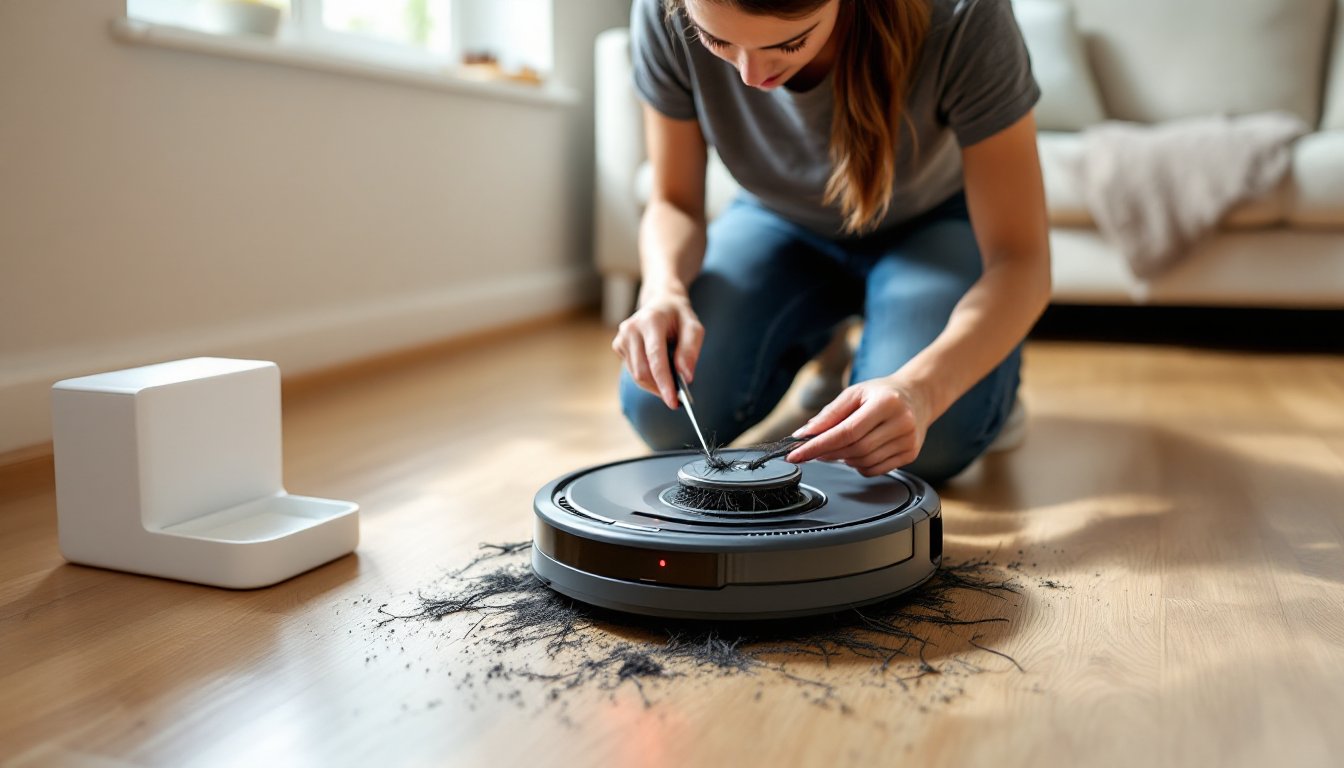
1. Clear the brush roll:
- Flip the vacuum over and locate the brush roll cover (usually held by 2–4 tabs or screws).
- Remove the cover and lift out the brush roll.
- Use scissors or a seam ripper to cut away hair and string. Work carefully to avoid cutting the bristles.
- Check the brush roll end caps for hair wrapped around the bearings.
- Reinstall the brush roll, ensuring it clicks into place on both ends.
2. Clean the wheels:
- Pull each drive wheel straight out from its housing (they typically snap off).
- Remove tangled hair from the axles and inside the wheel cavities.
- Wipe rubber treads with a damp cloth to remove sticky residue.
- Pop the front caster wheel out and clear debris from its U-shaped housing.
3. Check and clean filters:
- Remove the dustbin and dump contents.
- Pull out the foam and HEPA filters.
- Tap filters over a trash can to dislodge loose dust.
- Rinse foam filters under cool water (no soap). Let air-dry completely for 24 hours before reinstalling. HEPA filters on most Shark models should be replaced every 6–12 months, not washed.
- Inspect the dustbin inlet for clogs. Use a flashlight to look up into the suction channel.
4. Clean sensors:
- Wipe all cliff sensors on the bottom with a dry microfiber cloth. Don’t use cleaners, as residue can affect sensor accuracy.
- Clean the bumper sensor by gently pressing the bumper all around its perimeter to ensure it moves freely and returns to center.
- Wipe the charging contacts on both the vacuum and dock with a cotton swab dipped in rubbing alcohol.
5. Reset the vacuum:
- Hold the power button for 10 seconds until the vacuum powers off completely.
- Wait 30 seconds, then power it back on.
- For Wi-Fi models, reconnect to the app and check for available firmware updates. Many connectivity issues are resolved through home automation guides and software patches.
6. Test battery health:
- Place the vacuum on the dock and let it charge uninterrupted for at least 4 hours.
- Start a cleaning cycle and time how long it runs. Compare to the manufacturer’s spec (typically 60–120 minutes depending on model and mode).
- If runtime is less than half the rated duration, the battery likely needs replacement. Replacement batteries cost $50–$80 and are available directly from Shark or third-party suppliers.
7. Check for firmware or app issues:
- Open the Shark app and verify the vacuum shows as connected.
- Delete and re-add the vacuum in the app if connection is unstable.
- Ensure your home’s Wi-Fi router is within range and operating on a 2.4 GHz band (most robot vacuums don’t support 5 GHz).
Preventive Maintenance Tips for Uninterrupted Cleaning
Regular upkeep prevents most stoppage issues and extends the vacuum’s service life.
Weekly tasks:
- Empty the dustbin after every 2–3 cleaning cycles, or when it reaches the fill line.
- Remove visible hair from the brush roll and side brushes.
- Wipe down charging contacts with a dry cloth.
Monthly tasks:
- Remove and clean both wheels and the front caster.
- Wash foam filters and let them dry completely.
- Inspect the brush roll for wear. Replace it if bristles are flattened or torn (replacements cost $15–$25).
- Check that the bumper moves smoothly and returns to center.
Every 3–6 months:
- Replace HEPA filters according to the model’s maintenance schedule.
- Inspect the battery. If runtime has dropped noticeably, plan for replacement.
- Update firmware through the app if updates are available.
- Clear the vacuum’s cleaning history in the app to prevent memory-related slowdowns on older models.
Environmental prep:
- Pick up loose cords, socks, small toys, and pet waste before running the vacuum. Robot vacuums can handle some obstacles, but preventable tangles save wear on motors and brushes.
- Use boundary strips or virtual no-go zones (on app-enabled models) to keep the vacuum away from areas with thick rugs, floor transitions that cause cliff sensor errors, or rooms with lots of low furniture.
- Keep the charging dock on hard flooring in an open area with at least 3 feet of clearance on each side. Placing the dock in a corner or on thick carpet can cause docking failures and incomplete charges.
Storage and climate:
- Don’t store the vacuum or dock in unheated spaces where temperatures drop below 50°F or rise above 95°F. Extreme temps degrade lithium-ion batteries.
- If storing the vacuum unused for more than a month, charge the battery to approximately 50% and power off. Storing a fully charged or fully depleted battery accelerates capacity loss.
Many home appliance reviews emphasize that consistent filter maintenance is the single most effective way to preserve suction and prevent overheating in any vacuum cleaner.
Conclusion
Most Shark robot vacuum stoppages trace back to clogs, sensor obstructions, or battery issues that owners can resolve without professional service. Regular brush roll cleaning, filter replacement, and sensor maintenance prevent the majority of interruptions. When a vacuum does stop unexpectedly, methodical troubleshooting, starting with physical obstructions and progressing to power and sensor checks, gets it running again quickly. Treat the vacuum like any other motorized tool: clean it after heavy use, replace wear items on schedule, and it’ll deliver years of reliable automated cleaning.